
Powerful Features, Simple Experience
Everything you need to manage Erasmus+ travel reimbursements, from document capture to final reports.
For Organizations
Tools that save you hours on every project, from the first invitation to the National Agency report.

Step 1
Collect documents
Get every participant uploading without accounts, passwords or chasing.
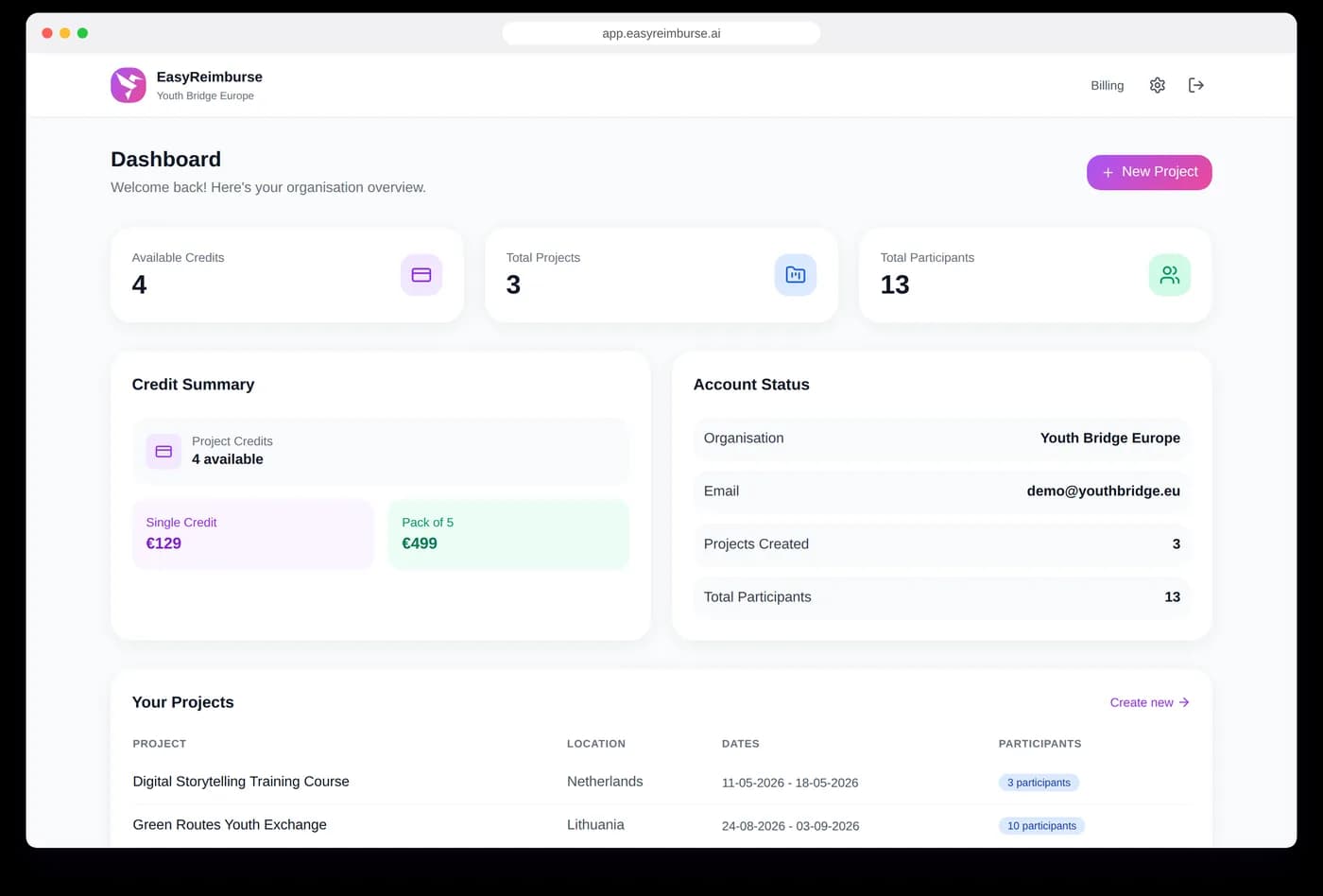
Magic Link Invitations
Share a link or send magic link emails. Participants access their submission page instantly — no registration, no passwords, no friction.
Multi-Project Management
Running multiple youth exchanges or training courses? Manage them all from one account with separate dashboards for each project.
Your name on every email
Invitations, reminders and notifications are sent as “{Your organisation} via EasyReimburse” with replies going to your address. Add your own instructions, a document deadline and a contact email that appear in every email.

Step 2
AI builds and reviews
Two AIs do the reading, matching and checking for you.
AI Document Processing
Our dual AI system reads boarding passes, train tickets, bus receipts, and invoices. It extracts routes, dates, prices, and distances with high accuracy.
All transport modes
Plane, train, bus, ferry and car. Car trips use your per-km rate with carpooling and a declaration on honour. Interrail passes, luggage fees, group bookings, return tickets and bank-transfer screenshots are recognised.
Official EU Exchange Rates
Automatic currency conversion using official rates from the European Commission, applied on the correct dates of purchase. No manual lookups needed.
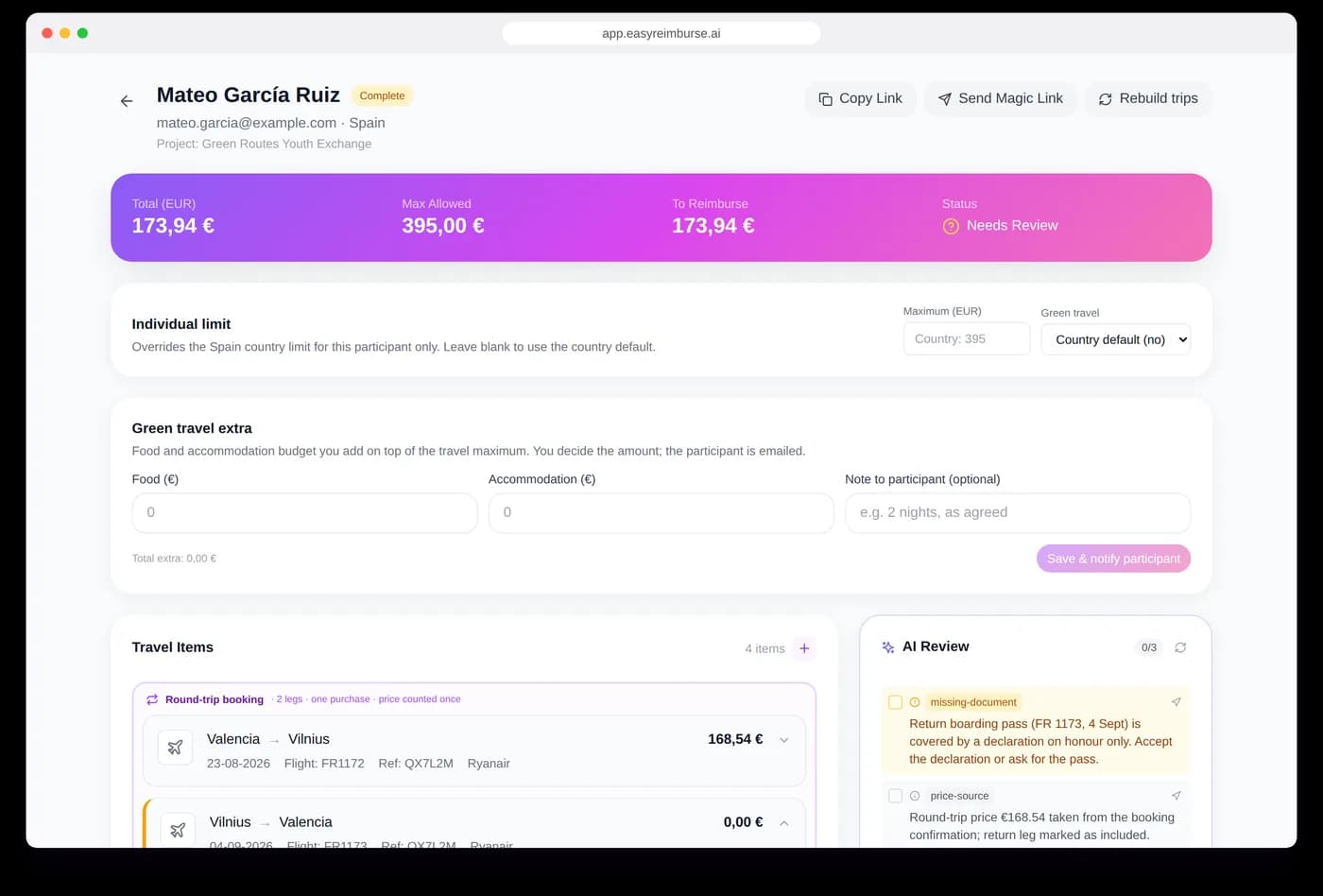
AI Reviewer
Our AI reviewer checks every participant's reimbursement and gives you a clear overview of what should still be manually checked, saving you days of work on every project.

Step 3
You approve and pay
Stay in control of every file, with the participant informed at each step.
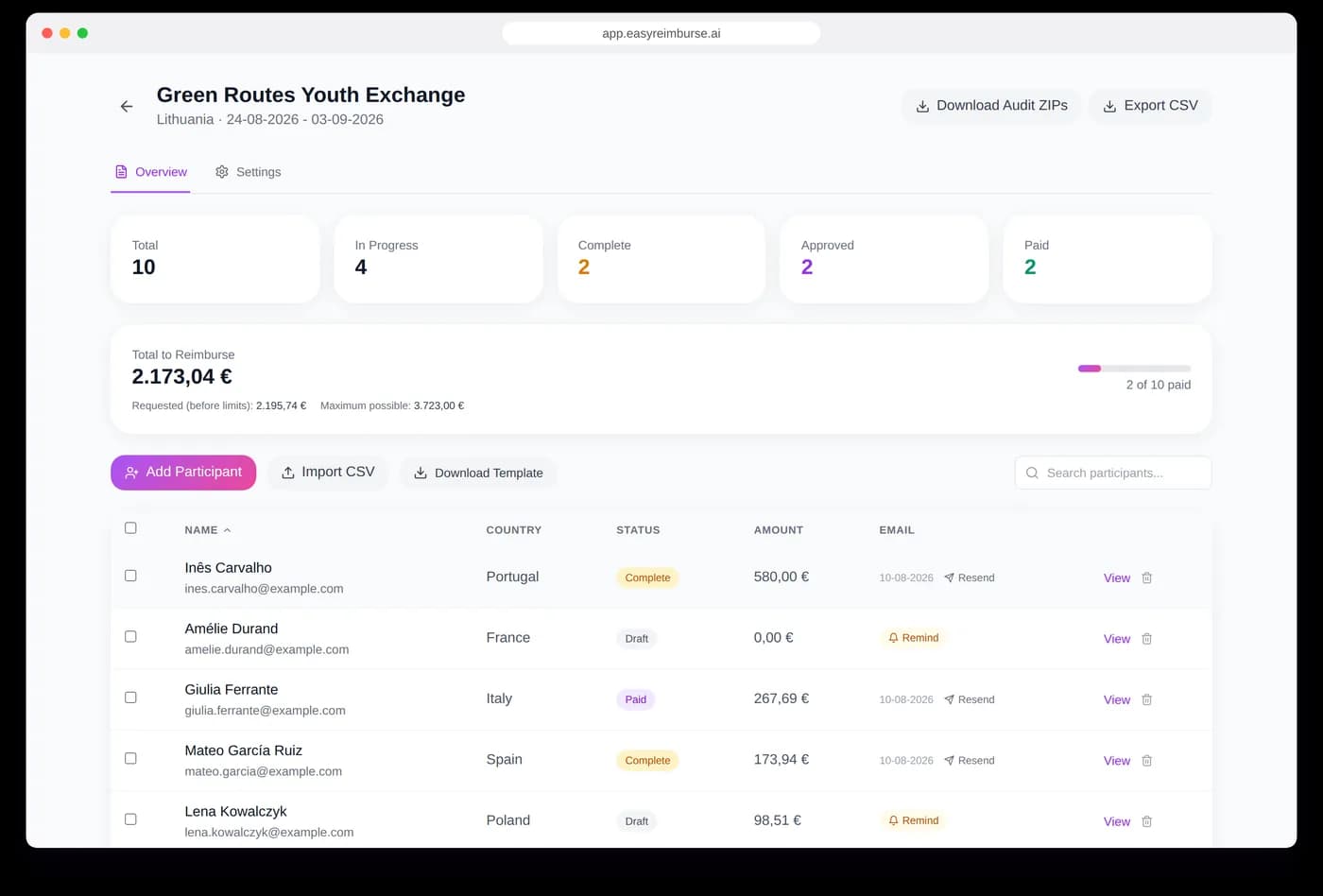
Project Dashboard
See all your participants, their submission status, and reimbursement data in one clean overview. Know instantly who still needs to upload documents.
Review and pay
Approve, reopen with a note, or mark as paid. The participant is emailed at every step. Set an individual maximum, a green-travel status or a manual exchange rate per participant when a case needs it. The overview shows requested versus maximum per person.
Auto Messaging
One-click reminders, project-ended emails and reopen-with-a-note: participants are emailed at every step, in your organisation's name.
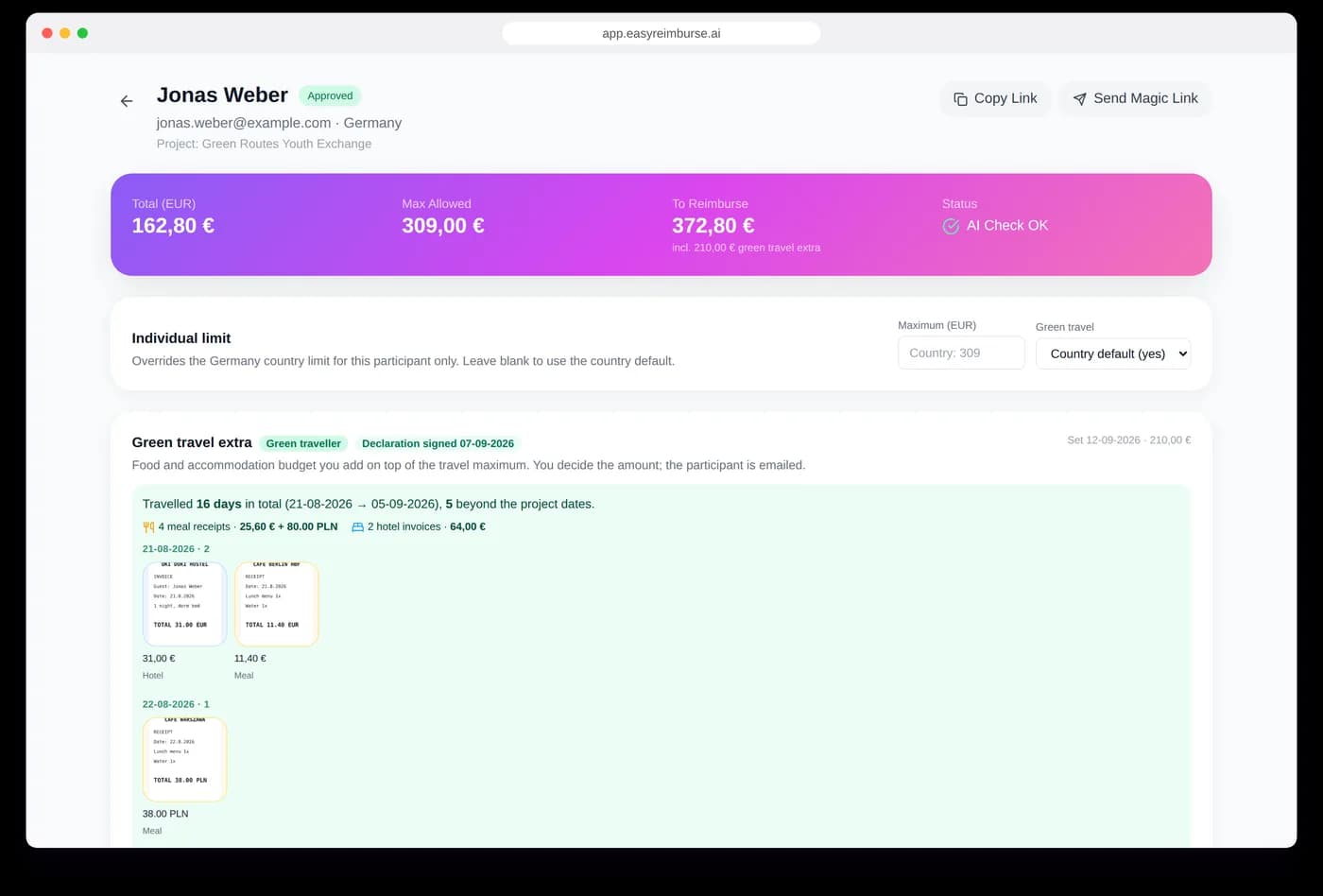
Green travel extra
Green-travel participants upload hotel and meal receipts in their own section, separate from tickets and not counted against the document limit. You see them as thumbnails grouped by day with totals, enter the food and accommodation amount, and the participant is emailed.

Step 4
Report to your National Agency
Everything an audit asks for, compiled in one click.
National Agency audit pack
Per participant: an audit PDF with all data, documents and declarations. Per project: one ZIP with every audit PDF and the spreadsheet, in one click.
Data Export
Download all reimbursement data as structured spreadsheets, ready for your National Agency reporting. No manual formatting needed.
Compliance Built In
Official EU exchange rates via the European Commission InforEuro API. Country-specific reimbursement limits. Declaration of Honor for missing documents. Full audit trail.
Dissemination page
OptionalSwitch it on per project and participants log their social-media posts and photos in the same link, ready for your final report.
Green travel, handled
Mark a country as green travel, let participants upload hotel and meal receipts separately, and add the food and accommodation extra in one field. Declarations on honour are generated and signed in the app.
- Per-country green flag with higher limits, overridable per participant
- Hotel and meal receipts in their own section, grouped by day with totals
- Signed green-travel declaration on honour, generated as a PDF
- Enter the food and accommodation extra once; the participant is emailed
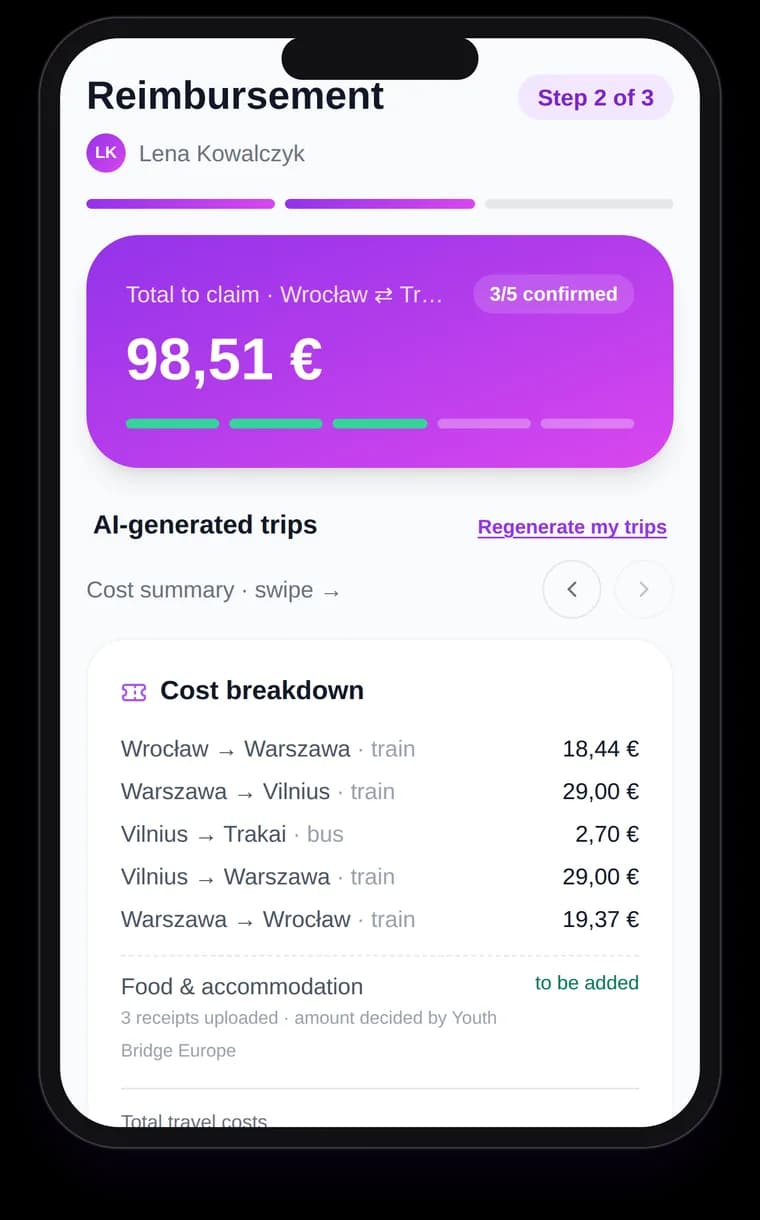
For Participants
A frictionless experience on their own phone that takes minutes, not hours.
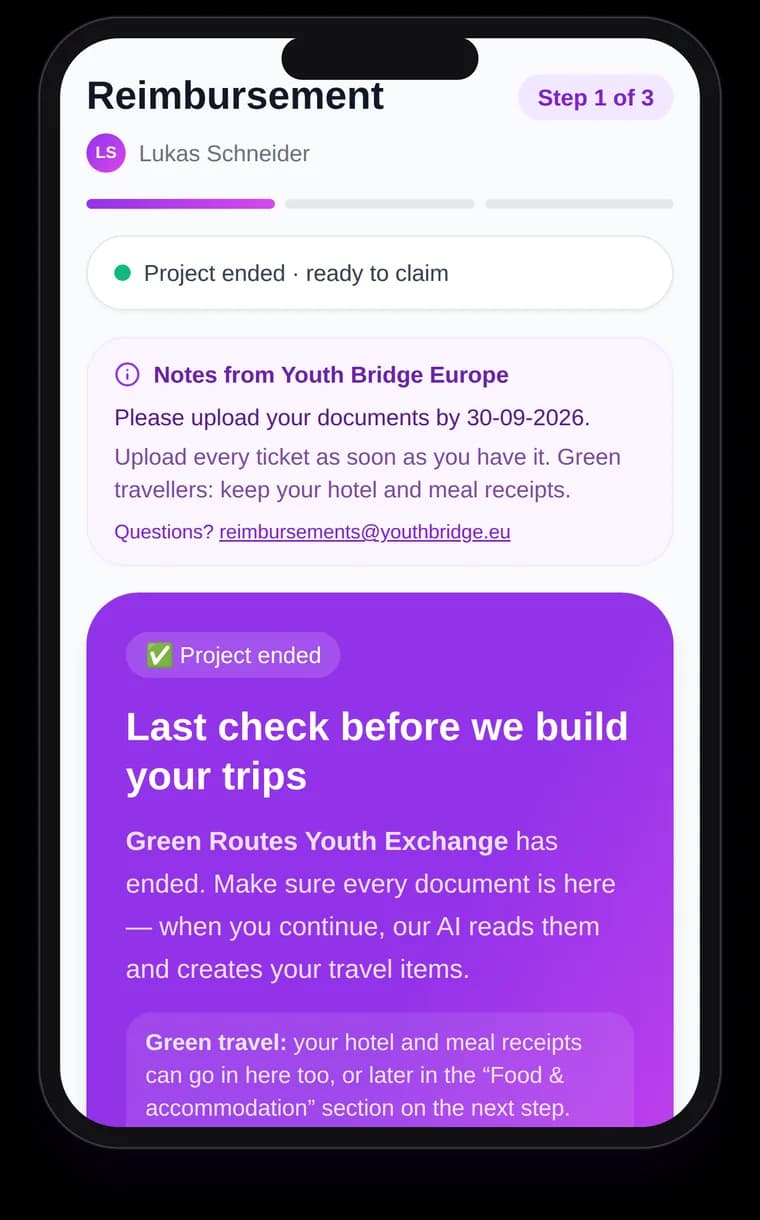
Add documents as you go
Tickets, boarding passes and invoices, even during the project.
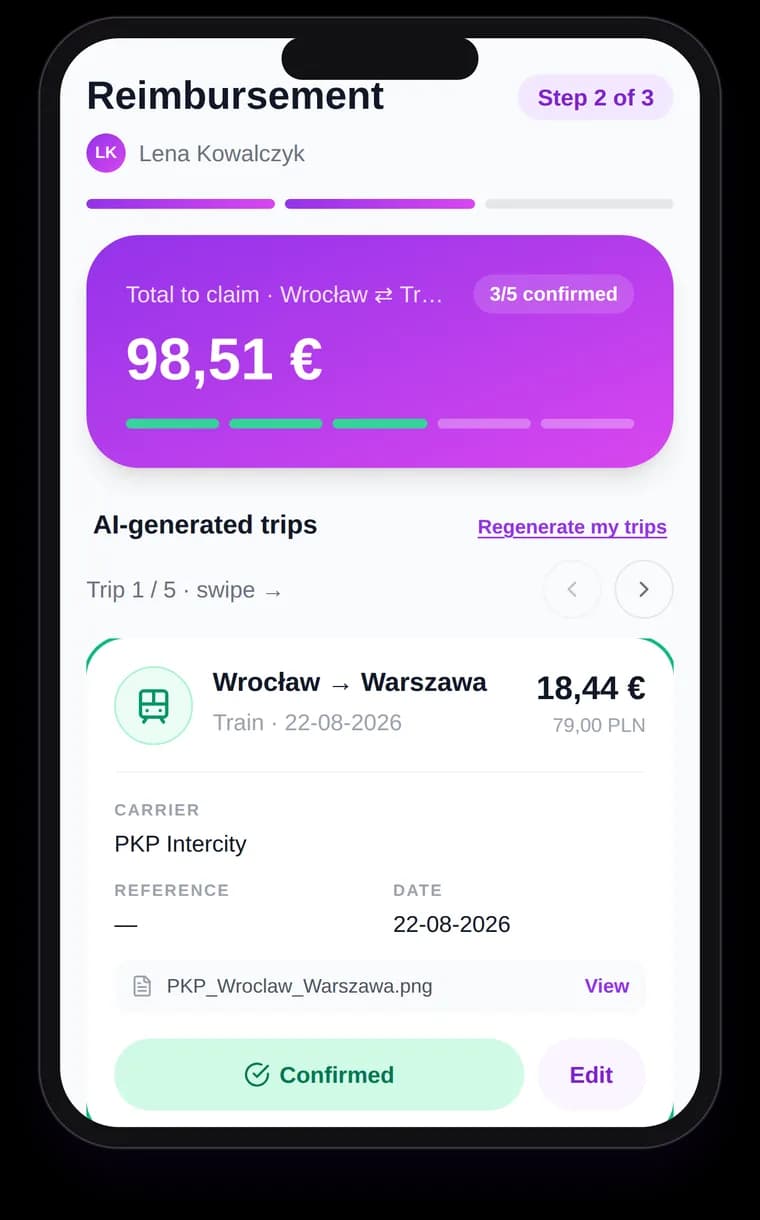
Check the AI-built trips
Every trip is a card to confirm, edit or exclude.
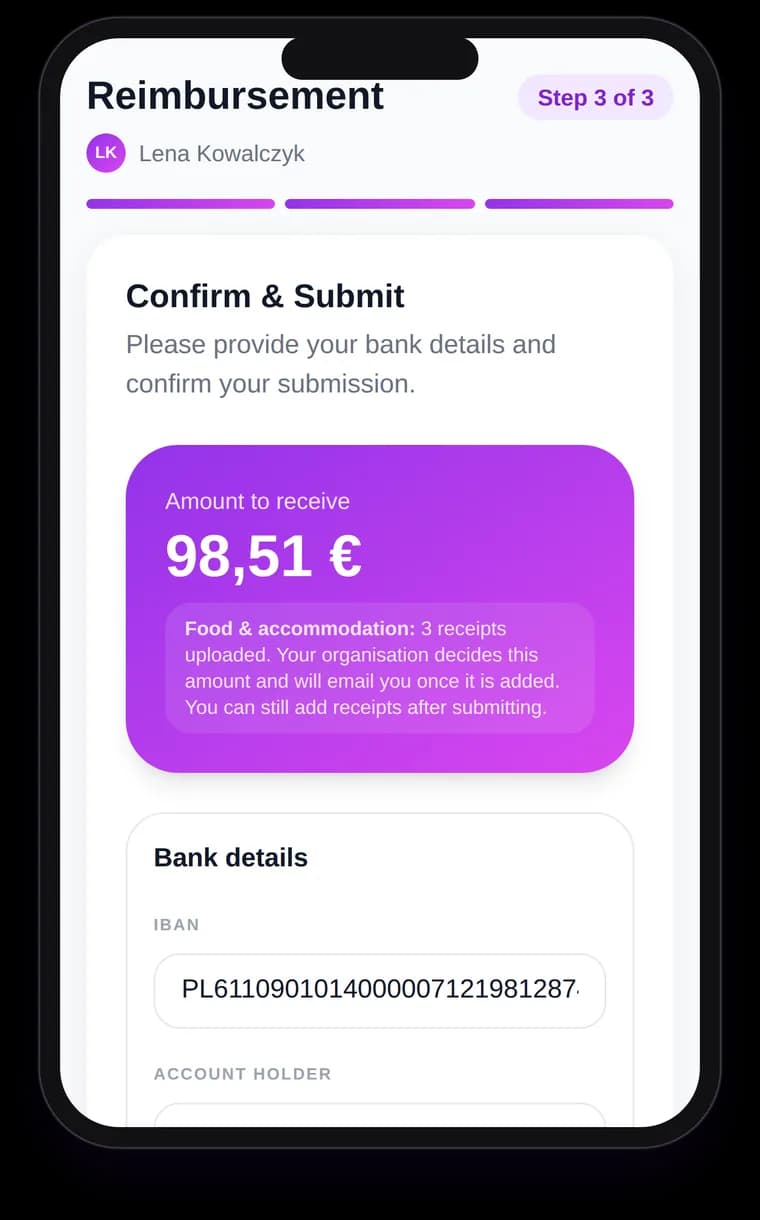
Confirm and submit
Bank details, declarations and the exact amount to receive.
No App Required
Any mobile browser. No downloads, no sign-ups, no passwords.
You stay in control
The AI drafts, you confirm: check, correct, exclude or add trips by hand.
Photo Upload
Blurry or rotated photos and broken PDFs are repaired; unreadable files are named.
Real-Time Status
See what is confirmed, what is missing and the exact amount before submitting.
Multi-Language Documents
Documents in any European language; the interface is in English.

Ready to simplify your Erasmus+ reimbursements?
Try it out first for up to 10 participants.